Flashing takeoffs · on the roof
Draw the flashing. Read the girth. Send one clean list.
Girth to the millimetre and a fold count that knows your hems and kick-outs, worked out on your phone before you order a sheet.
On site, to the brake
A flashing takeoff that fits in your pocket
Straight off my phone. No girthing off a scrap of timber, no scribbled profiles going down to the fab shop.
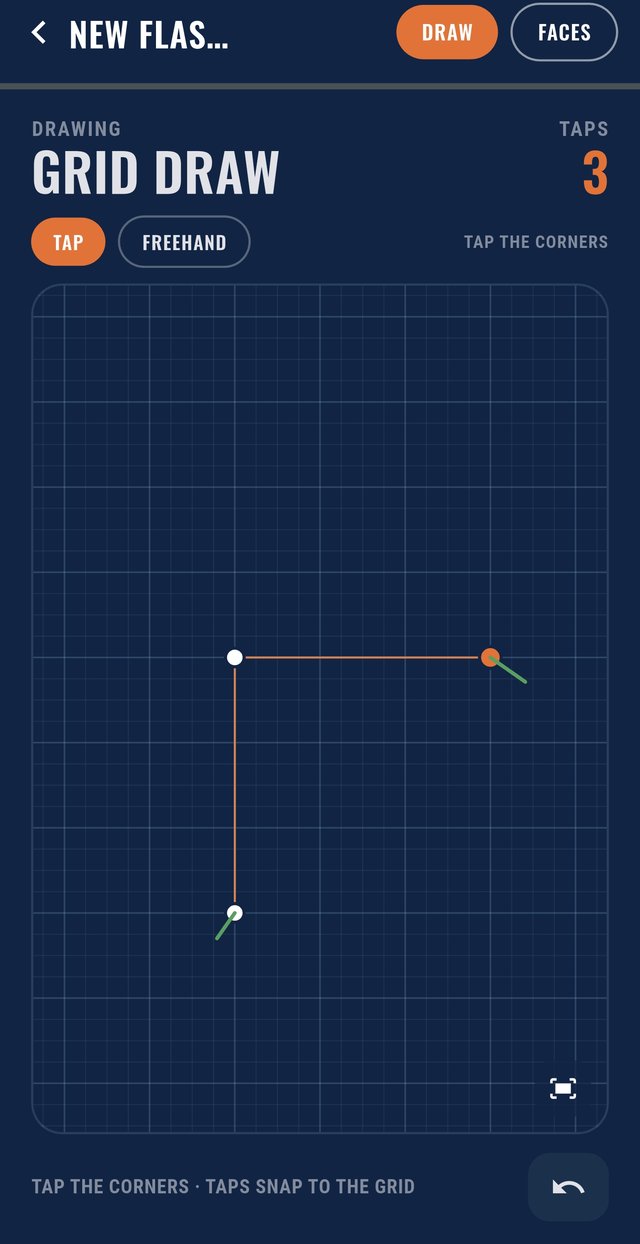
1Draw any profile
Tap the corners and they snap to the grid, or draw freehand and it straightens itself. Barge, apron, ridge, box gutter: if the brake can fold it, you can draw it.
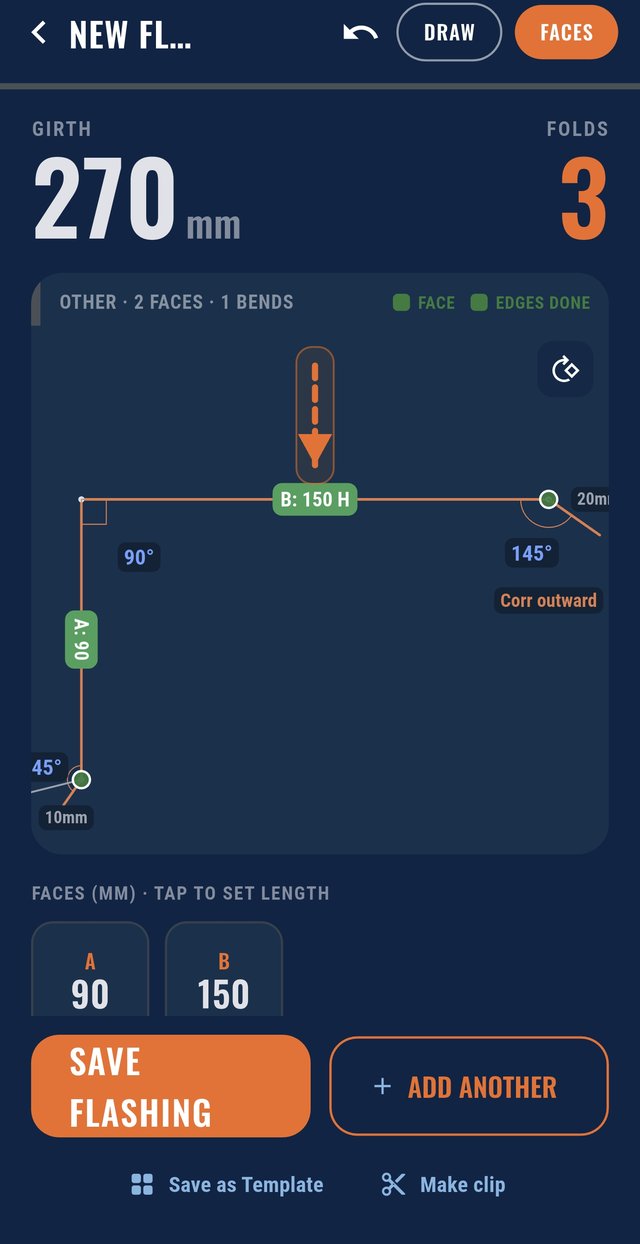
2Read the girth and folds
Set your face lengths and the girth and fold count move with every one. Type any bend angle, decimals and all.
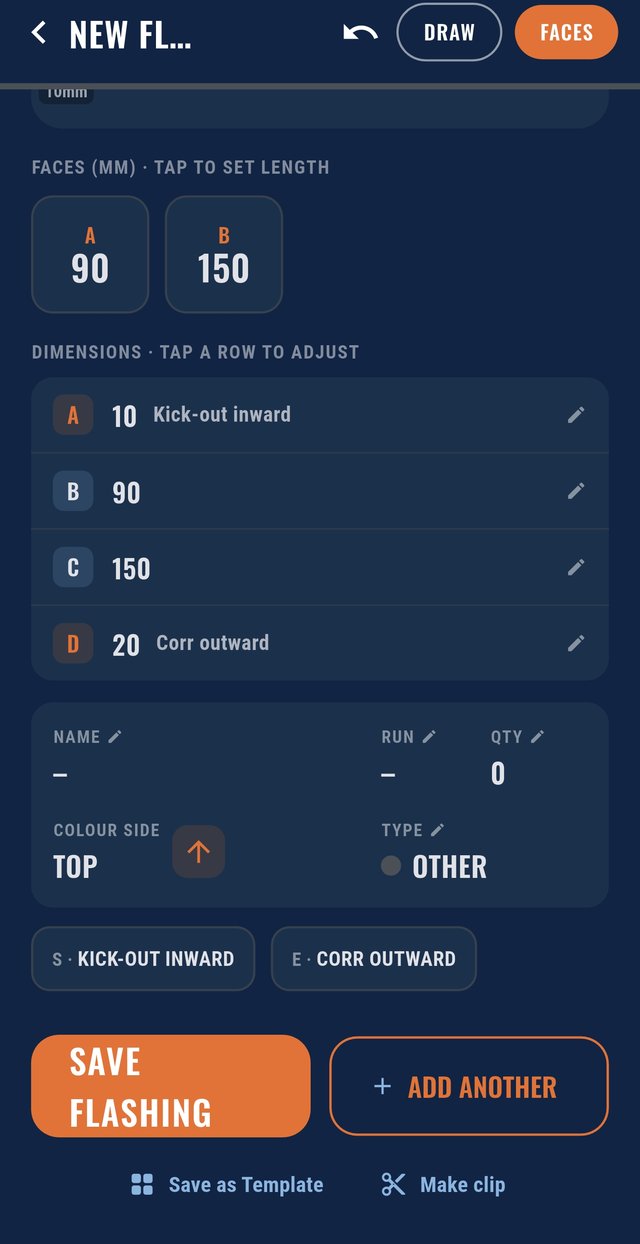
3Pick the finishes, save it
Kick-outs, hems, corro edges and the colour side on every flashing. Save it as a template for next time, then send one clean list.
Mud maps and job photos
Set-out your crew can actually work off
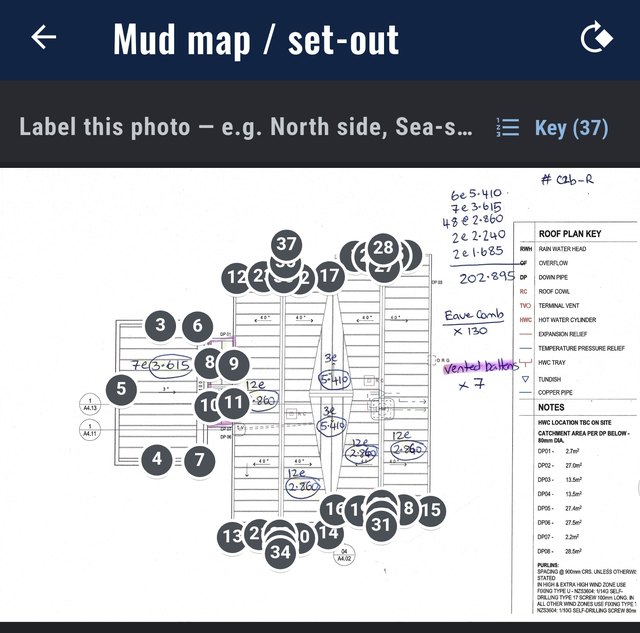
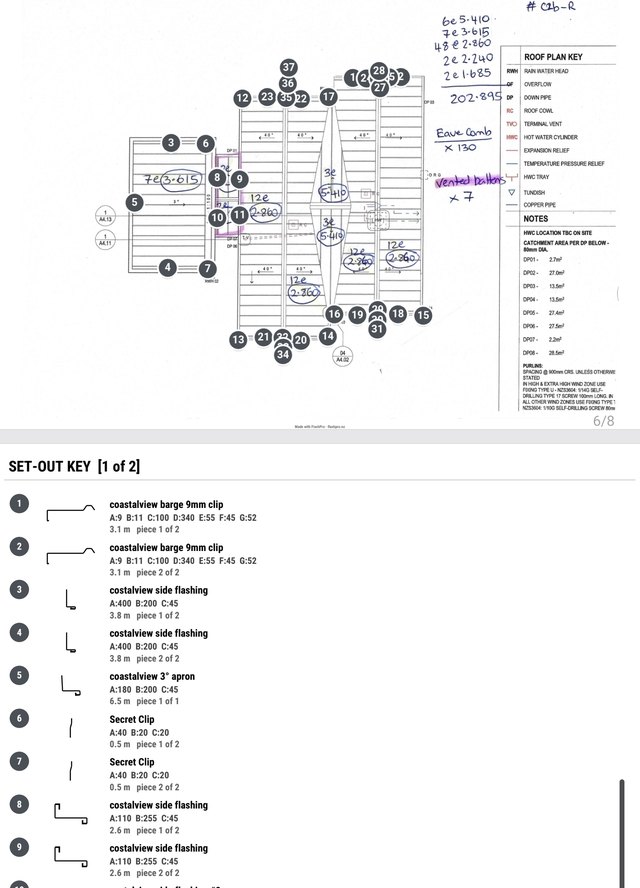
Put the job photo, the roof plan or a shot of each side of the building into the job, then pin every flashing where it goes. No more guessing which barge goes on which end.
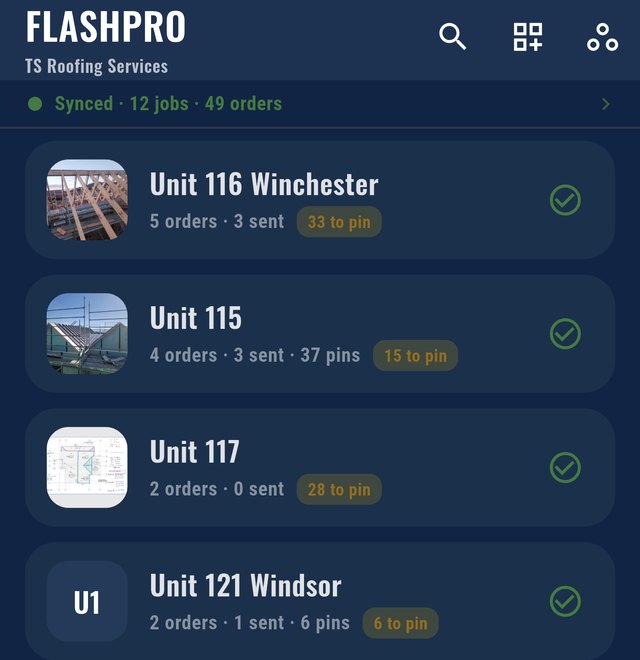
1Every job has its photo
Snap the site and it's on the job. The list shows how many orders are sent and how many pieces are still to pin.
2Pin it on the plan
Drop numbered pins on a site photo or the roof plan, pulled straight out of the plan PDF on the Android app. Two fingers to zoom in on a busy roof.
3A set-out key to work off
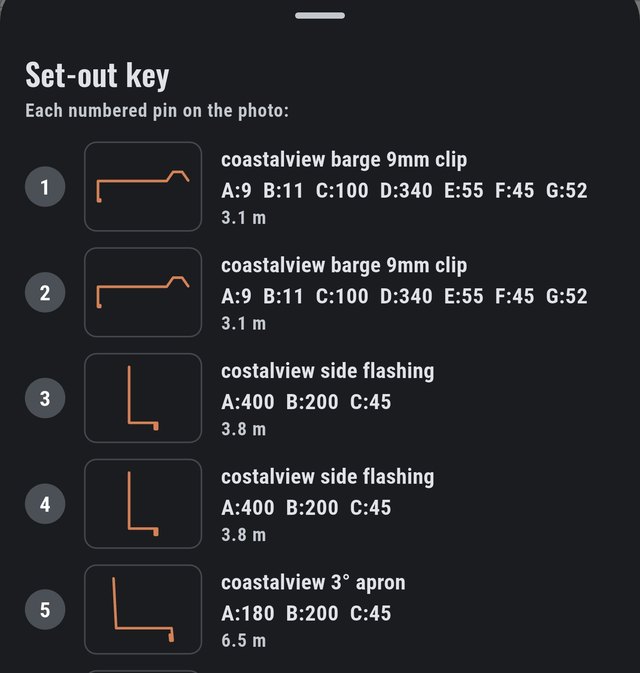
Every pin listed against its profile, name, dimensions and length. Add the set-out pages to the PDF when you want them.
The output
One list the fab shop can actually read
Every flashing on the order with its profile, girth, folds, quantity and length. Once an order's sent it locks, and Revise gives you rev 2, so the shop always knows which list is current.
| Edge finish | Folds |
|---|---|
| Safety hem | 1 |
| Open hem | 1 |
| Kick-out | 1 |
| Bird's beak | 2 |
| Soft edge / raw edge | 0 |
A fold count off by two throws out every estimate. FlashPro knows an edge finish isn't always one fold.
The PDF
A PDF the fab shop can work off
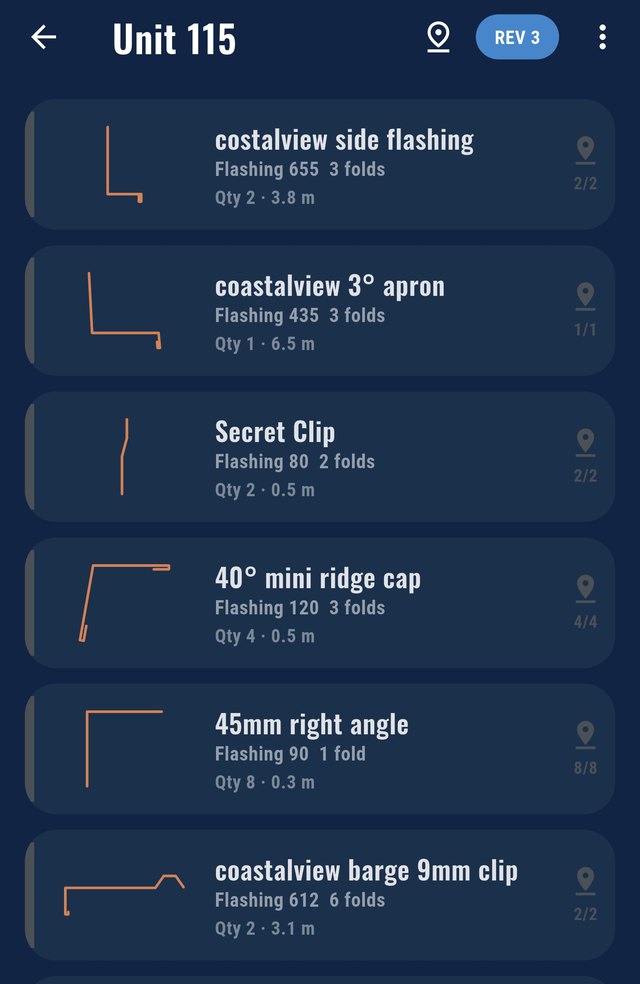
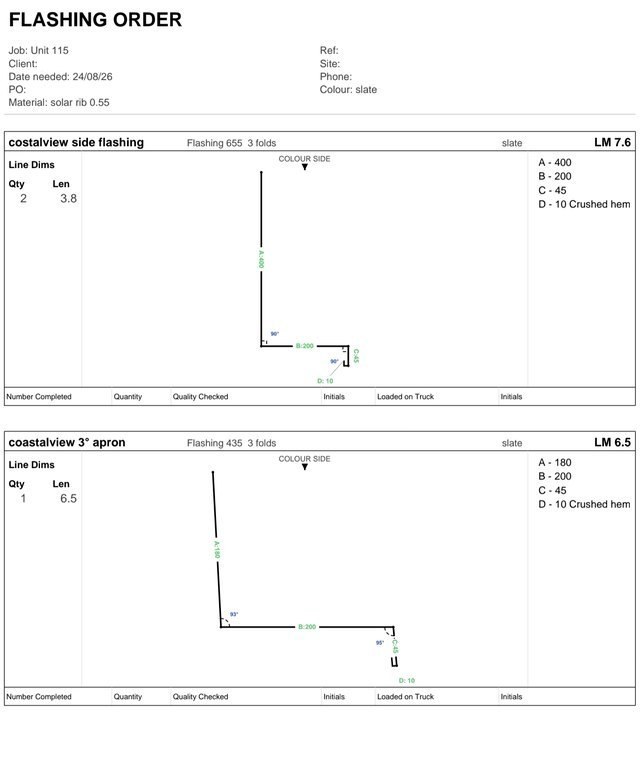
Job, date needed, material and colour up top, then a card for every flashing with the profile drawn out, the face lengths, quantity and length. Turn the angles off for a clean diagram, or add the set-out pages for your own crew. It opens in your phone's PDF reader, ready to email or print.
And it also does
And the rest of the kit
Revisions
Sent orders lock. Hit Revise and you get rev 2, then rev 3, so the factory always has the current list.
Send to the factory
Set your usual factory once and every order sends to them by default.
Templates
Save a profile once and drop it into any order after. Sort them into your own groups.
No coverage? No worries
Draw and girth with nothing on the bars. Changes go through when you're back in range.
Phone, tablet, office
Android app or any browser, one account across all of them.
Your crew
On Team or Crew, invite the crew by email. Everyone works off the same jobs. Your data stays in your own private database.
Pricing
One price for the whole business
Every plan is the full FlashPro. NZ dollars, GST included. 14 days free, cancel any time.
- Everything in FlashPro
- Phone, tablet and web
- PDF flashing schedules
- Your own private database
- No extra users
- Everything in Solo
- Invite your crew
- Everyone sees the same jobs
- Your own private database
- Everything in Team
- Extra seats $20/user/month
- For a full roofing outfit
- Your own private database
We ask for a card up front so your workspace keeps running the day the trial ends. Nothing is charged during the 14 days, and you can cancel any time before then.
Start your free trial
Two minutes to sign up
Your business gets its own private FlashPro workspace. Nothing is shared with any other business.
- 1Fill this in and pick a plan.
- 2Put your card in on Stripe. Nothing is charged for 14 days.
- 3We set up your workspace and email you to set your password.
Start free trial
14 days free · cancel any time